

Kamili
Calendar
Your day, planned — and bookable.
Work and personal calendars side by side, plus scheduling links so people book time with you instead of trading emails about it. Syncs with Google and Apple.
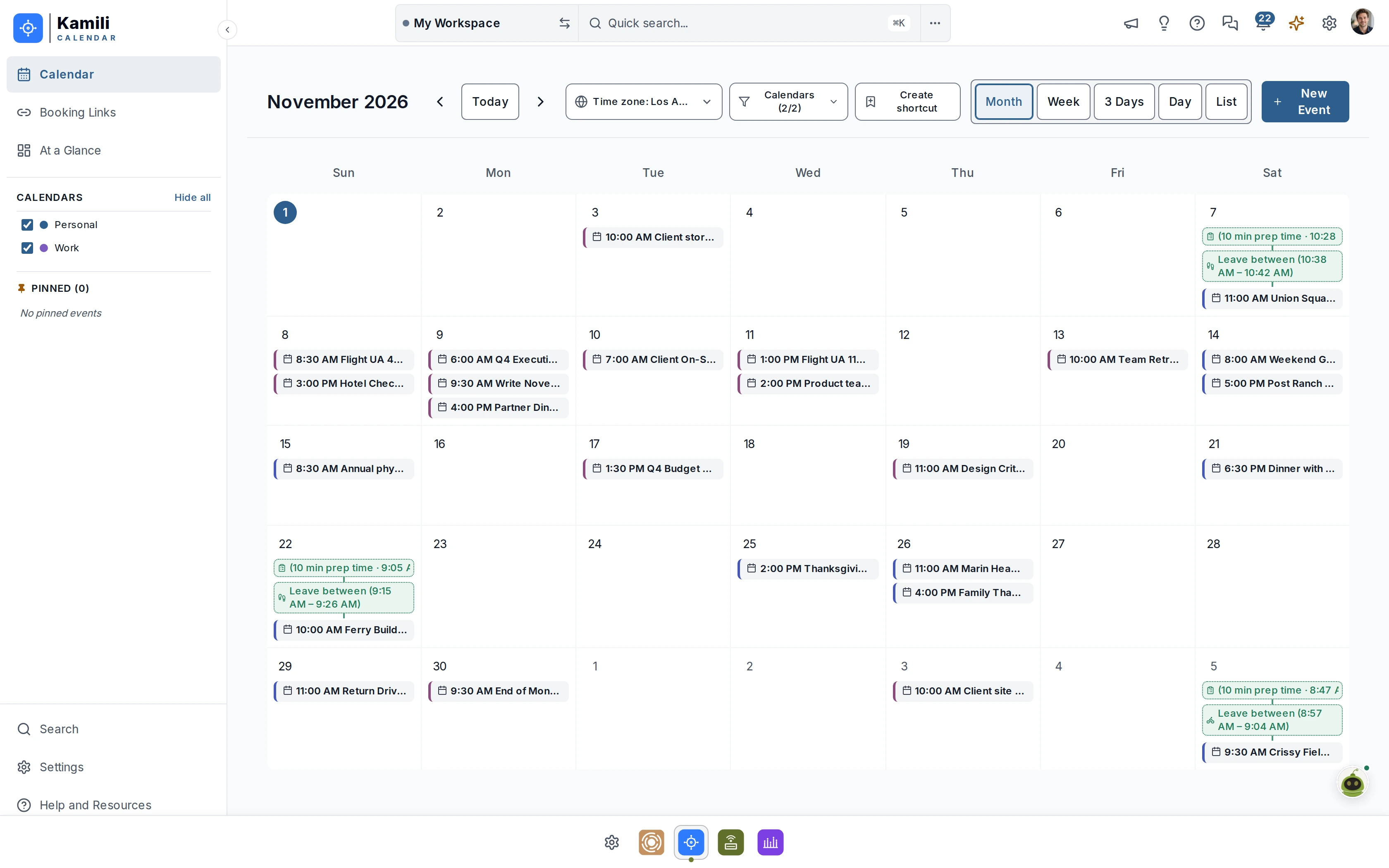
Click to enlarge

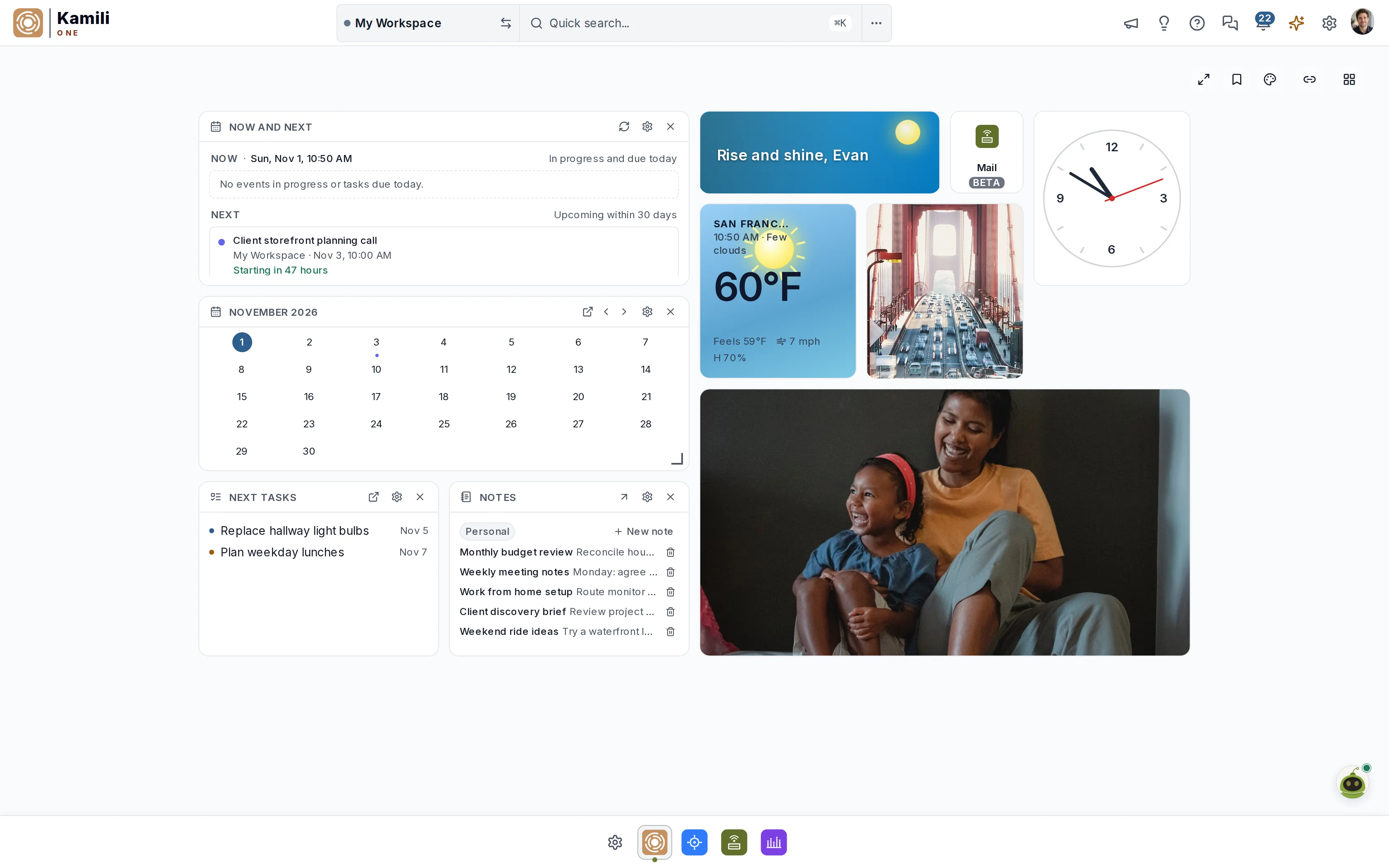
Mail, Calendar, and Tasks on one account — built to talk to each other. Smart Assists surface the email that needs a reply, the meeting you should leave for, and the task that's due, before you go looking. Keep your Gmail, Outlook, or iCloud. Nothing to migrate.
“‘Product sync with Amara’ starts in 10 minutes.”
“‘Product sync with Amara’ starts now.”
Works with the accounts you already have
Connect in minutes. Your data stays with your provider — Kamili One is the client, not a new silo.
The apps
Start with whichever one hurts most today. All three are in every plan — including Free — so the others are waiting when you're ready.
Kamili
Your day, planned — and bookable.
Work and personal calendars side by side, plus scheduling links so people book time with you instead of trading emails about it. Syncs with Google and Apple.
Click to enlarge

Kamili
Where to-dos finally get done.
The groceries and the product launch in one place, organized by project. You only have one brain — your task list shouldn't pretend otherwise.
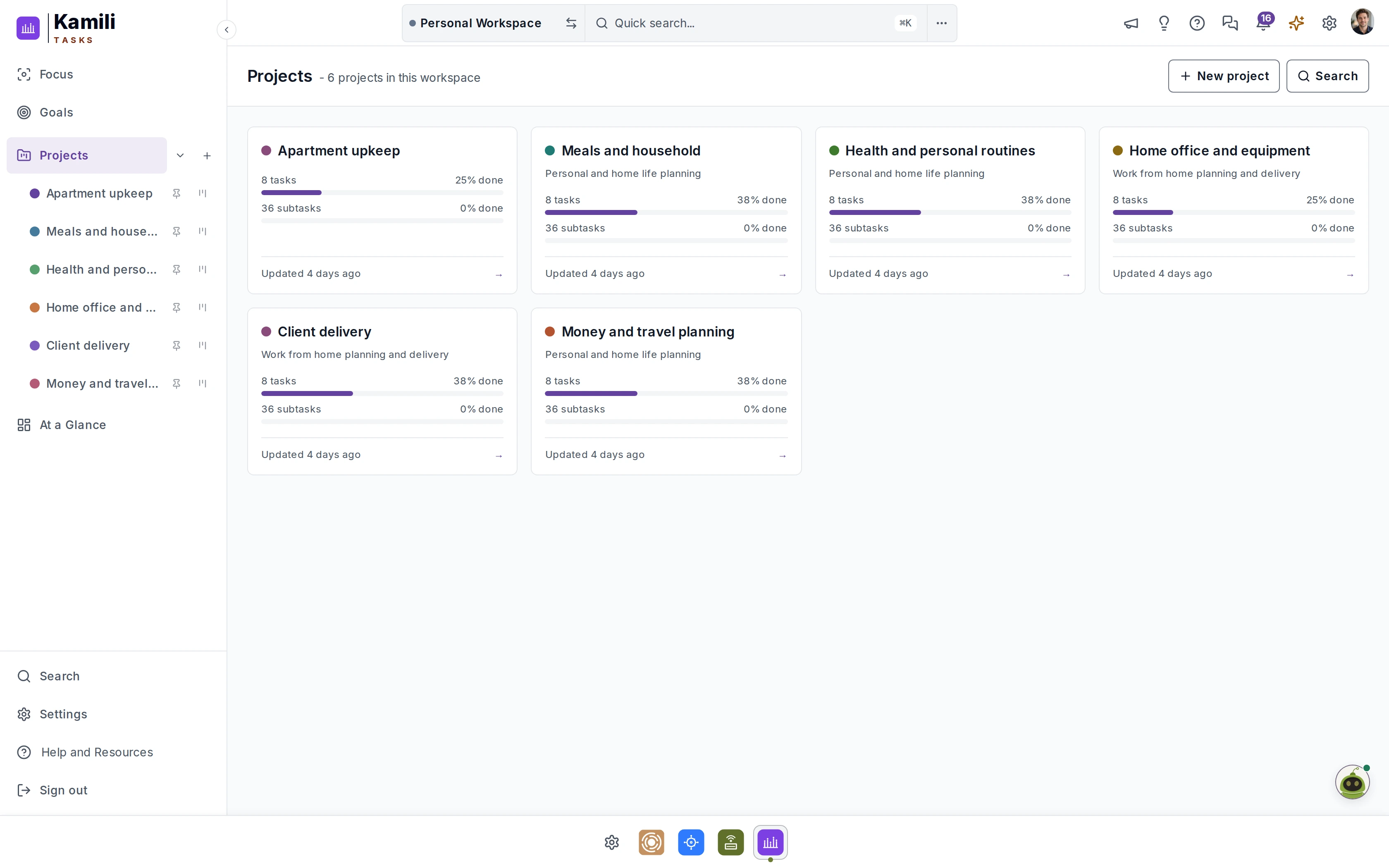
Click to enlarge

Kamili
Email that feels like yours.
A calm, warm client for all your accounts. Smart search, unified inbox, and zero ads or training on your messages. Your email stays with your provider.
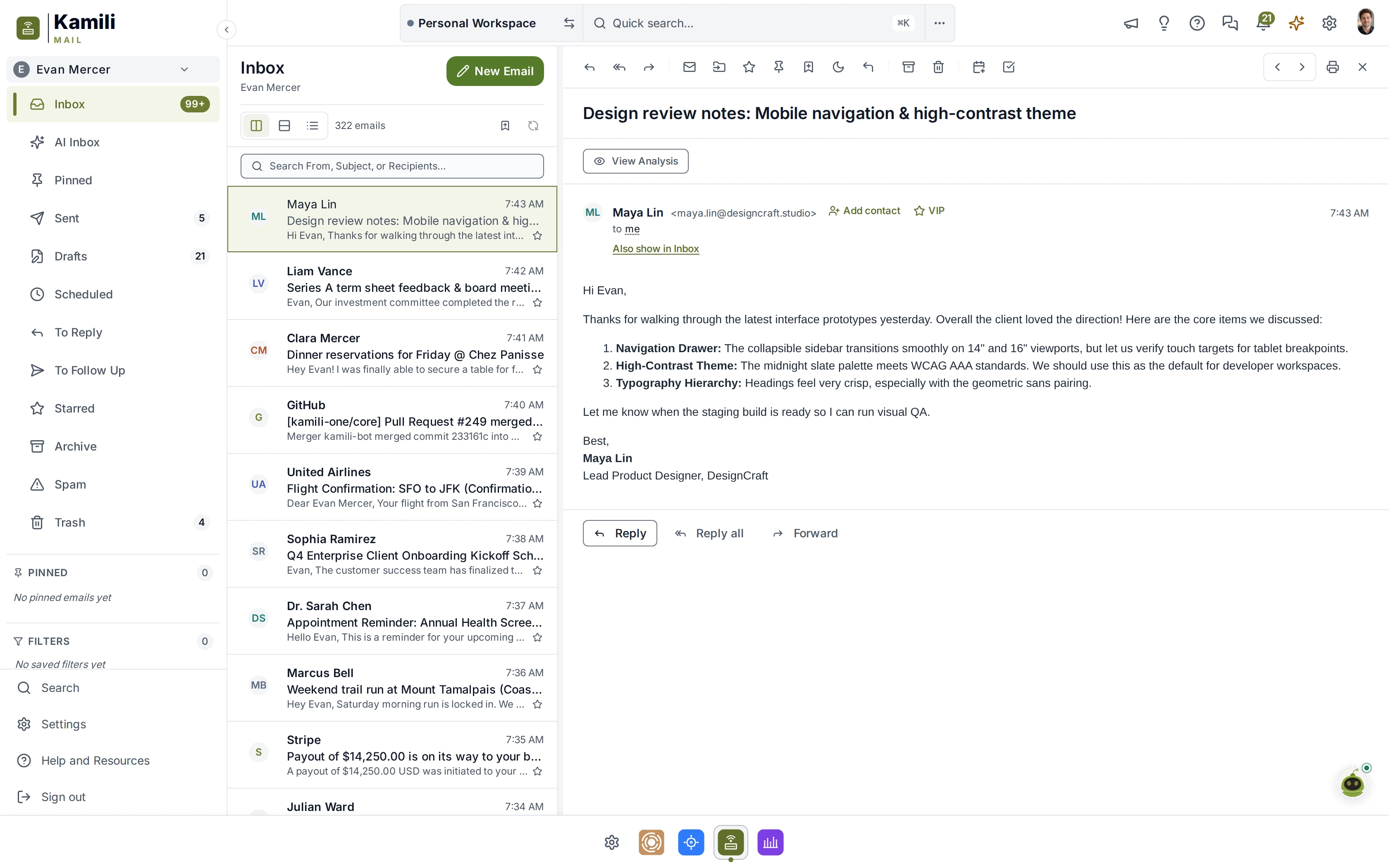
Click to enlarge
The app also has lightweight Notes and Files apps to keep important documents and files nearby.
Built to work together
One thread, start to finish
Heads Up tells you Evan emailed and needs a response.
View Analysis reads the thread and suggests the event for your Calendar.
You reply in Mail — without leaving the thread.
The Dashboard already shows what's next.
Smart Assists
Three core apps on one account is the foundation. The Smart Assists are what you'll notice.
*Some features are still undergoing development and testing and are subject to change.
Start your day with a clear view — spoken.
A unified readout across Mail, Calendar, and Tasks: today's events with travel buffers, priority tasks, unread summaries, weather, commute, and updates. Delivered before you look at a screen.
Time: 6:00 AM · Morning Briefing
Weather: San Francisco · 62°F (High 68°F)
Event: Product Architecture Review - 9:30 AM · Event: Lunch with Sarah - 1:00 PM · Event: Roadmap Planning - 3:30 PM
Tasks Due: 3 priority · Design tokens, staging PR review, beta invites
Commute: Hayward → SFO via San Mateo Bridge · 32 min (Moderate traffic)
Headlines: BBC · Global clean energy record · Digital accessibility standard
Word of Day: 'Perspicacity' — keen discernment and intellectual sharpness
Status: Active · Ready for productive day
 MailCalendarTasks
Know what's happening now.
Calendar and Tasks merged into one immediate timeline — what's on right now, what's up next, nothing else. This widget helps you see at a glance what is coming up across all of your workspaces.
Context when contacts reach out.
VIP alerts the moment they land, plus relationship history and attendee details before every meeting.
Never let a ball drop.
Watches for emails requiring answers from you, and reminds you before deadlines pass.
Deeper context with a click.
Summarizes threads and documents, extracting dates and action items into your calendar and tasks.
“Leave now” that means now.
Alerts based on real-time traffic and parking times with support for walking, transit, bicycle, and driving so you arrive on time every time.
Most tools quietly pile up notifications until the critical one is buried. Kamili One lets you add an optional micro-challenge to any reminder — so dismissing it means you actually saw it. Try one.
Other options: Puzzle, Phrase Match or use no challenge at all.
Strategy Review & Project Roadmap
Solve to unlock: 7 + 5 = ?
The Dashboard
Keep it sparse when you need breathing room, or bring mail, tasks, calendar, weather, and more into one fuller view. Pick a backdrop, arrange the widgets, and save the layout with a name — a focused workday and a calmer evening can each have their own.
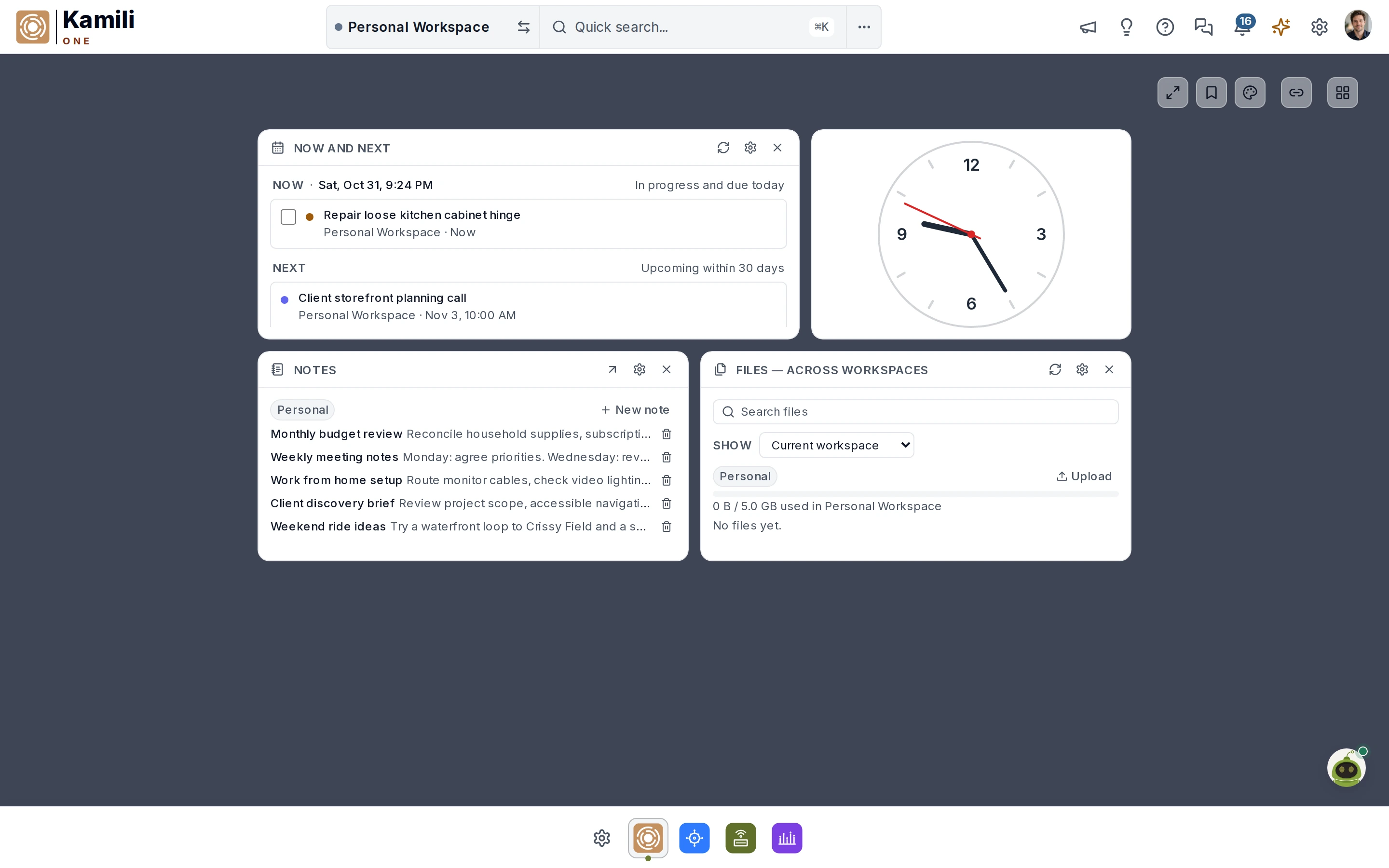
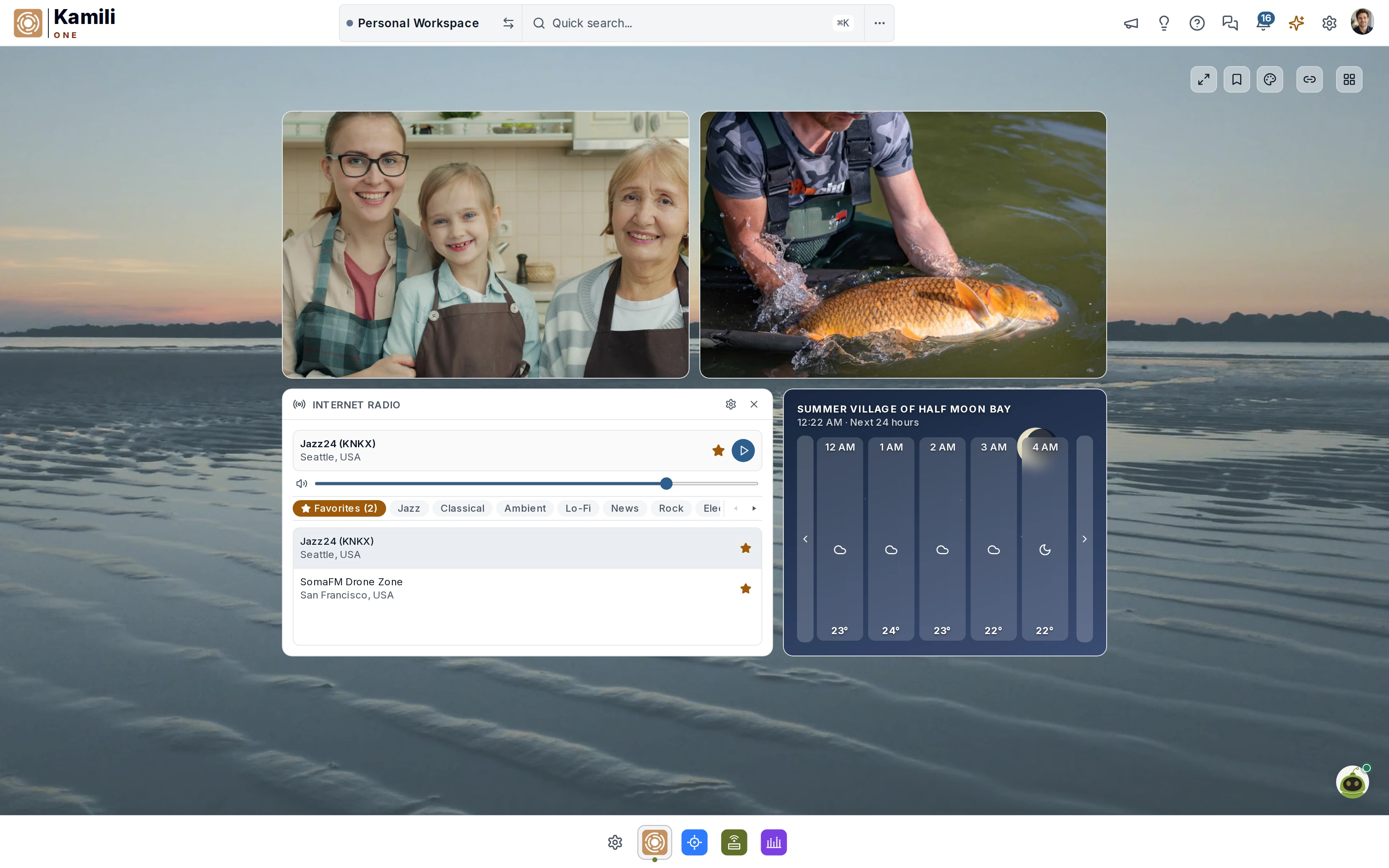
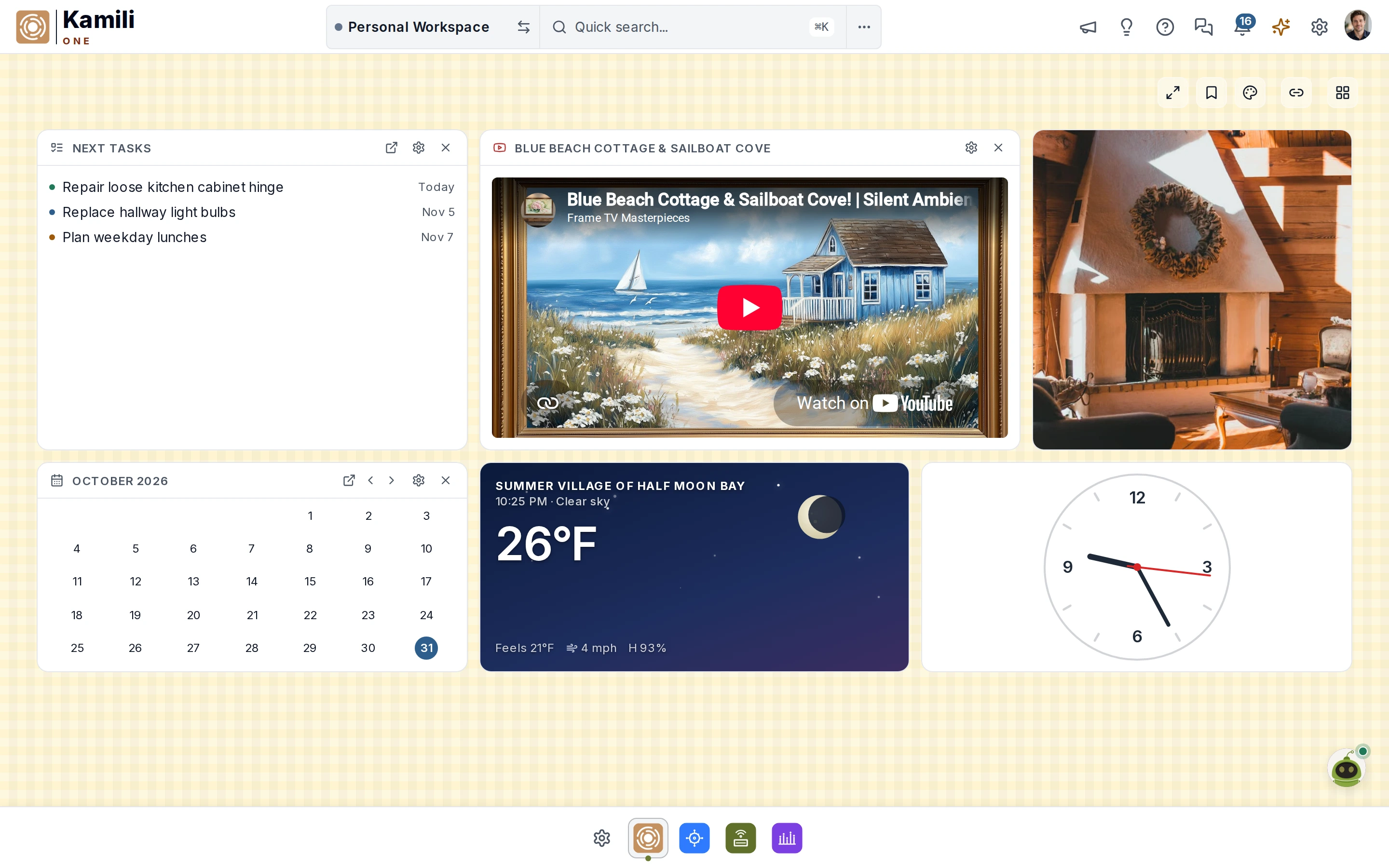
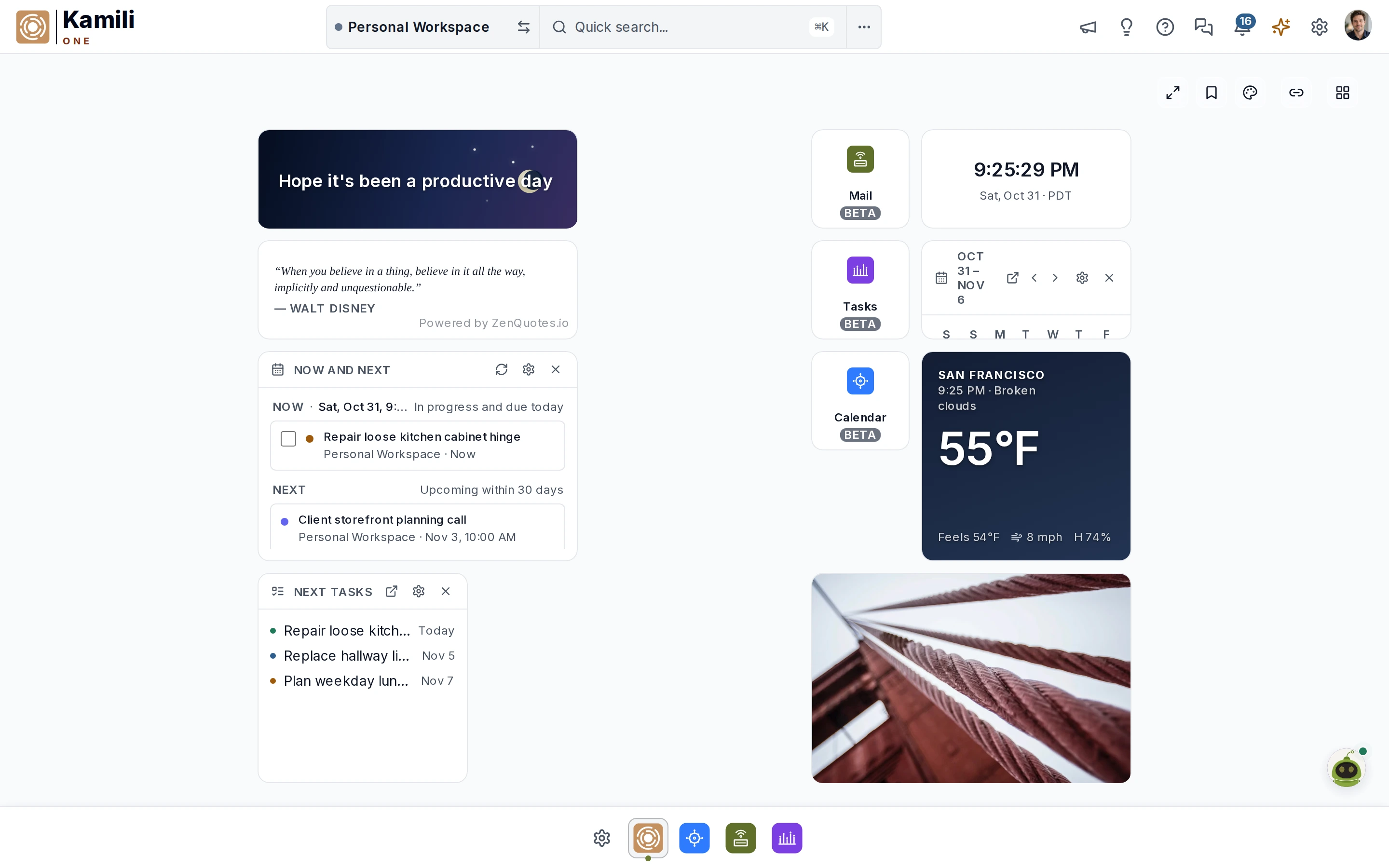
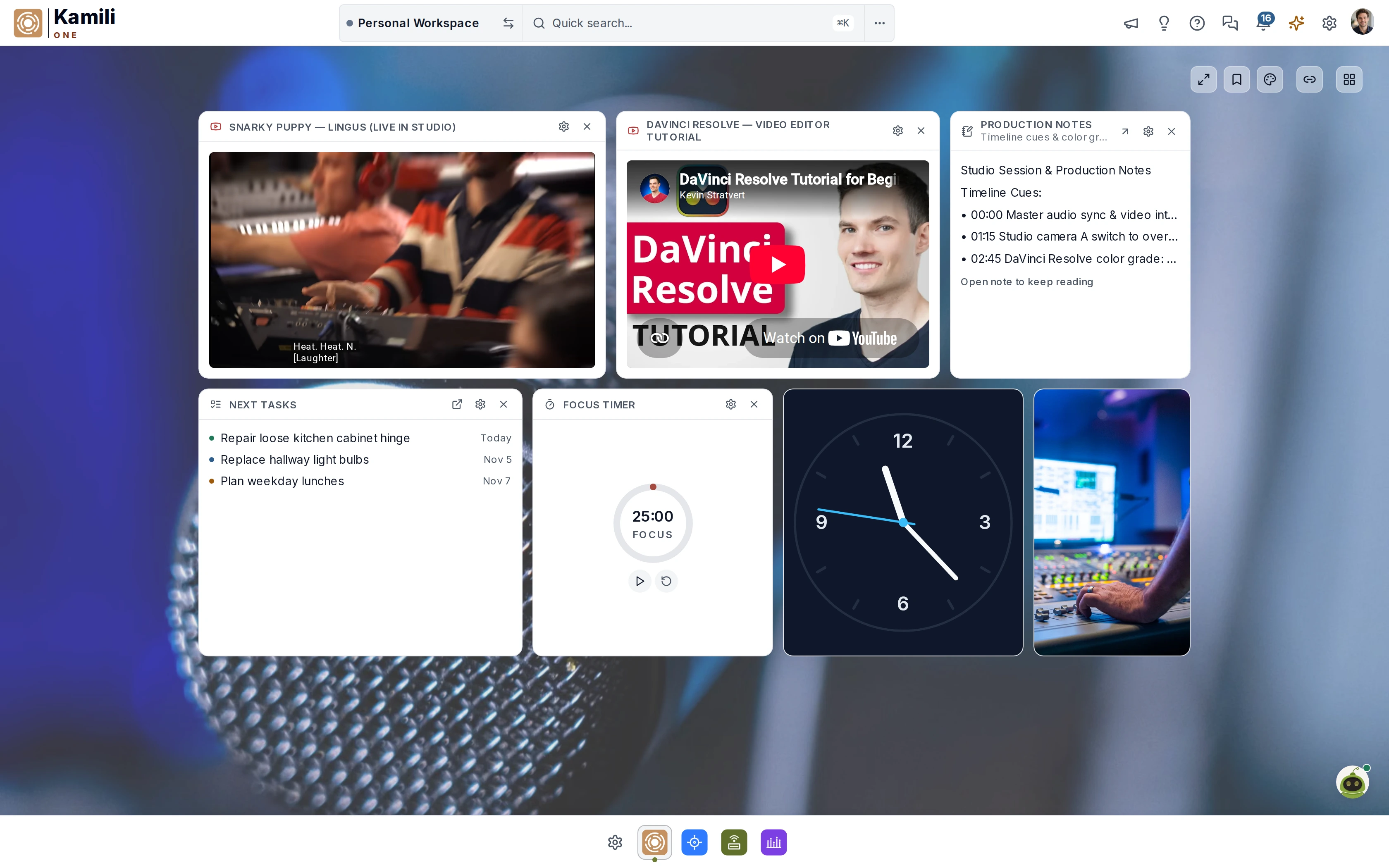
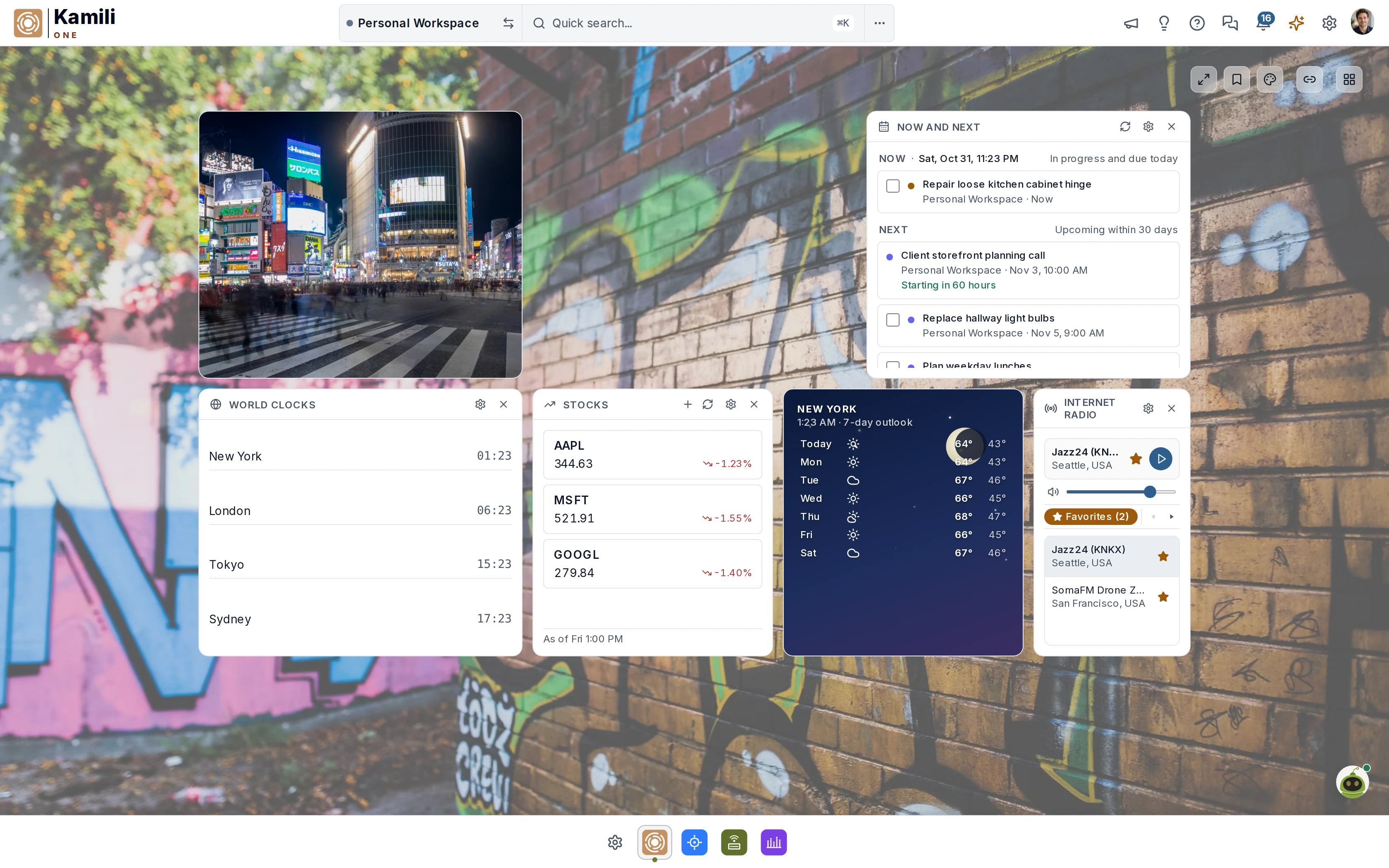
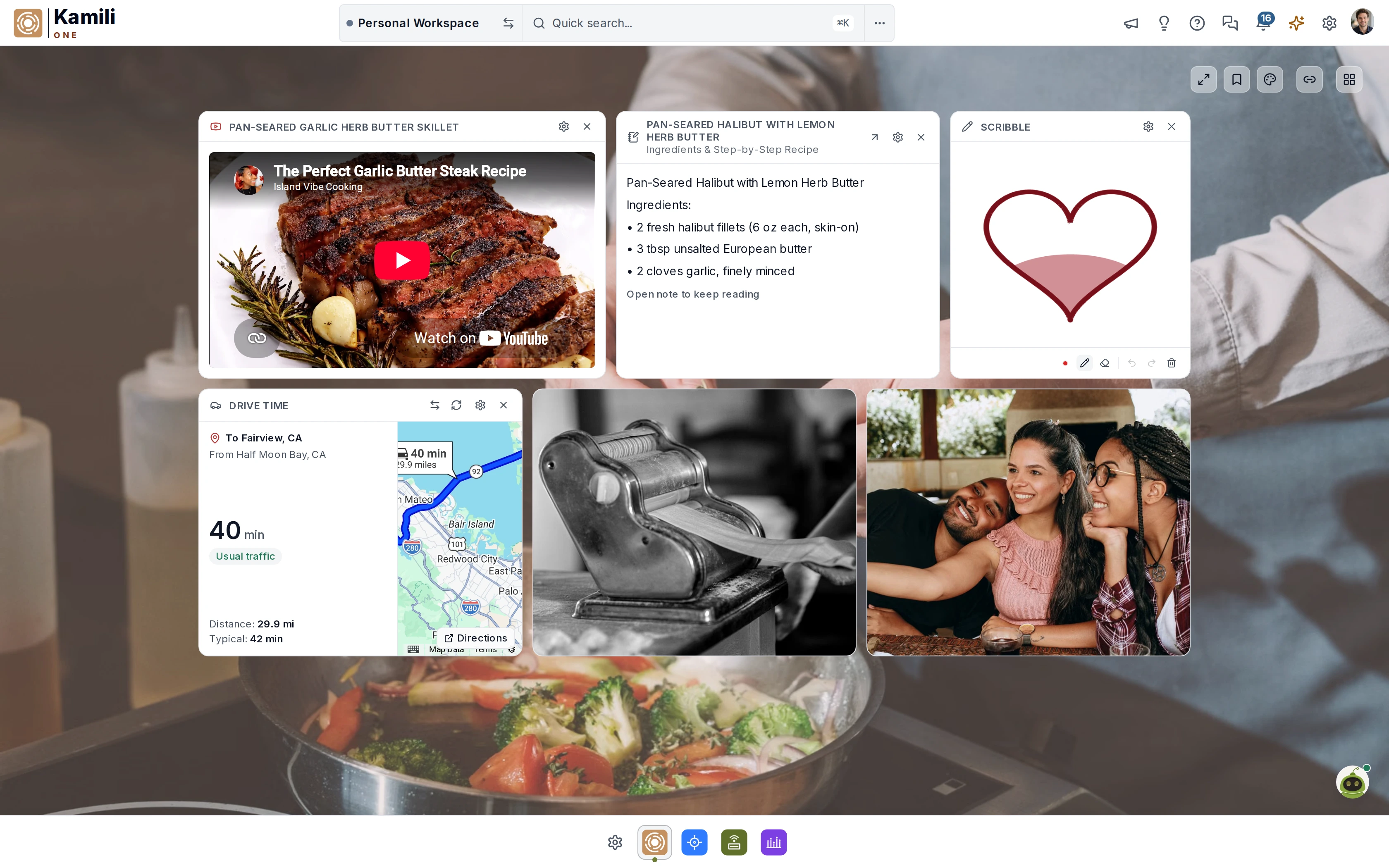
Clear Start
A few essentials to begin the day.
Tailor your workspace from communication and productivity to lifestyle. Pin your calendar, tasks, email, notes, files, and day-to-day essentials into custom views that feel uncluttered and personal. Explore a few examples below.
Real-time schedule view and Google & Apple sync.
Product Architecture
10:00 AM · Google Meet
Roadmap Review
2:15 PM · Main Conf Room
Actionable checklist of what comes next with smart due dates, project tags, and progress tracking.
Recent messages from your connected inboxes, with one-click reply drafts.
Staging deployment ready for review
Updated slide deck for launch
Instant markdown notes, persistent scratchpad, and meeting minutes auto-saved across devices.
• Verify 6-column grid layout
• Check founder discount pill
# Sprint Goal: Complete parity
Direct access to recent email attachments, shared documents, and cloud storage.
Live commute times, road traffic alerts, and transit departure buffers.
Hayward → SFO Airport
Via CA-92 W · Light Traffic
Supports drive, transit, bike & walk
Local weather conditions, temperature, and humidity.
Partly Sunny
High 71° · Low 54° · Sunset 6:15 PM
Inspirational focus quotes and vocabulary building for intentional daily work.
“Focus is a muscle built one quiet hour at a time.”
Perspicacity · Keen discernment
Workspace Briefings
Your schedule, priority tasks, commute, and updates in one spoken summary — before you look at a screen.
Workspace Briefing Sample
Time: 6:00 AM · Morning Briefing
Weather: San Francisco · 62°F (High 68°F)
Event: Product Architecture Review - 9:30 AM · Event: Lunch with Sarah - 1:00 PM · Event: Roadmap Planning - 3:30 PM
Tasks Due: 3 priority · Design tokens, staging PR review, beta invites
Commute: Hayward → SFO via San Mateo Bridge · 32 min (Moderate traffic)
Headlines: BBC · Global clean energy record · Digital accessibility standard
Word of Day: 'Perspicacity' — keen discernment and intellectual sharpness
Status: Active · Ready for productive day
Select the components you want in your daily briefing, order them to your preference, and set scheduled times or at regular intervals for morning, midday, or evening readouts.
How it works
Sign in once. Add your Gmail, Outlook, iCloud, or IMAP accounts and sync Google or Apple calendars. Nothing moves — Kamili One reads where your data already lives.
Turn on the Smart Assists you want. Mark your VIPs, pick a briefing time, choose how you're notified — in-app, email with deep links, or spoken voice alerts.
Add mailboxes as life gets busier. Bring in your team for a shared inbox, team calendar, and the Full Picture Dashboard — with Owner, Member, and Viewer roles.
Who it's for
One warm home for your days, your projects, and your people — whether that's a family of five or a team of five.

A voice to keep you plugged in while you multitask.
A parent juggling multiple schedules, homework, and dinner prep. A friendly voice keeps you informed as you multitask around the house, with personal and family life side by side on the Free tier.

The likeness of a personal assistant 24/7.
Three mailboxes under one roof, a spoken morning briefing, VIP alerts, and Time to Leave — an executive assistant working around the clock.

A voice that keeps you in the loop so you can focus on your craft.
Five to ten mailboxes, up to 100 GB, and spoken briefings that keep you in the loop while you focus on your craft — with ample credits for every Smart Assist.

A friendly voice for everyone to keep the team in sync.
Five collaborator seats plus five free viewers, a team mailbox and calendar, the Full Picture Dashboard, and a friendly voice that keeps everyone on the team in sync.
Interactive calculator
Set how often you check each app in a typical day.
24 checks per day · 24 minutes per day
Hours spent / week
2.0h
8-hour days / year
12.0 days
Potential hours recovered / week
1.2h
Checking time in a 40-hour week
Illustrative estimate: 1 minute per check, 5 days per week, 48 weeks per year, and 8 hours per day. Each check is counted once.
Recovery example: assume 60% less time spent checking.
Pricing
All three core apps in every plan. Beta users get 35% off for as long as their subscription stays active — the price you join at is the price you keep.
Forever
no card required
Discover every app and every Smart Assist. No card, no clock.
For one busy human
billed monthly
$65/yr billed yearly
35% founder discount during beta
More mailboxes and room for the assists to work.
Power user
billed monthly
$97.50/yr billed yearly
35% founder discount during beta
For professionals running multiple active inboxes.
Heavy workflows
billed monthly
$195/yr billed yearly
35% founder discount during beta
Maximum mailboxes, storage, and AI headroom for one person.
For 5 users
billed monthly
$325/yr billed yearly for 5 users
35% founder discount during beta
Everything shared — inbox, calendar, and the Full Picture Dashboard.
Prices in USD. Founder discount applies to all paid tiers during beta and stays yours for as long as your subscription is active. Cancel anytime — no strings attached.
Answered
Kamili means complete in Swahili. One signals everything under one roof — one account, one subscription, one digital space.
Really free. No 14-day timer, no credit card to start. All three core apps are included. You pay only when you outgrow the limits.
Yes. Focus on Mail, Calendar, or Tasks alone — but all three are included in every plan, so the others are there when you're ready.
Kamili Mail connects to Gmail, Outlook, iCloud, and any IMAP/SMTP account — no migration; your data stays with your provider. Kamili Calendar syncs with Google and Apple calendars.
Join a paid tier during beta and you pay 35% less than regular pricing — and you keep that founder rate for as long as your subscription stays active, even after regular pricing takes effect. If you cancel and come back later, you rejoin at the pricing in effect at that time.
Mail, Calendar, and Tasks ship in 2026. More tools are planned for 2027, all under the same account and subscription.
Anytime. No strings attached.
Join the beta, lock in founder pricing, and get a quieter workday on day one.
No credit card. No 14-day clock. Free forever tier.